-

-
-
Product

Solutions
One app, all things legal

Compare
-
-
-

 Gmail
Gmail  Microsoft 365
  Wisetime
  Dropbox
  Zapier
  Quickbooks
  vs CosmoLex
  vs PracticePanther
  vs AbacusNext
  vs Caret Legal
  vs Clio
  vs MyCase
  vs Smokeball
  vs Filevine


The All New Tasks Experience: Built for How Law Firms Work
29th April 2026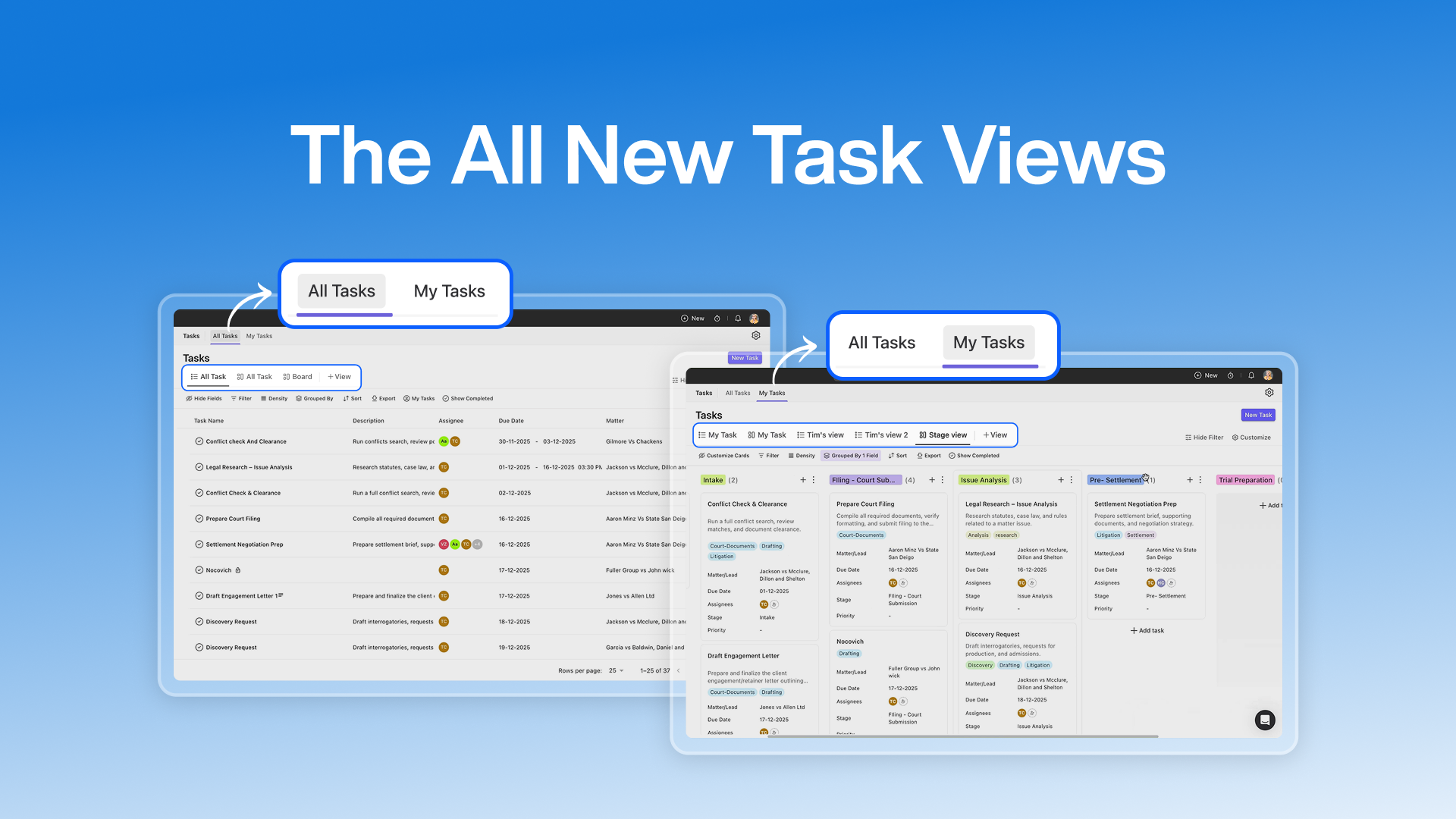
Task management in a law firm isn’t just about checklists. It’s about visibility, accountability, confidentiality, and aligning multiple people across multiple matters without losing control. That’s exactly why we’ve completely rebuilt the Tasks experience in Lawcus. This isn’t a cosmetic upgrade. It’s a structural, functional, and workflow-focused evolution designed to solve real operational challenges law firms face every day.
From redesigned interfaces to advanced permissions and powerful customization, here’s a deep look at what’s new.
A Completely Reimagined Interface
The first thing you’ll notice is a modern, streamlined UI that’s built for clarity and speed. At the very top of the Tasks module, the experience is now organized into two clear sections:
My Tasks
This is your personal workspace. Here, you see only the tasks that are assigned to you. No clutter. No noise. For attorneys, paralegals, and staff, this provides:
- A focused daily task list
- Clear priorities
- Faster action without distraction
- A personalized workflow space
It ensures every user starts their day with a clean, relevant overview of their responsibilities.
All Tasks
This is the firm-wide workspace. Here, users with the right permissions can see:
- Tasks across practice areas
- Tasks owned by other team members
- Tasks linked to different matters
It enables:
- Oversight by supervisors
- Operational visibility for managers
- Workload balancing across teams
- Centralized task control by admins
Which tasks and data appear here depends entirely on how your firm configures its permissions.
Intelligent Default Views in “My Tasks”
Inside My Tasks, you’ll find two default system views. These views are automatically shared with:
- All users who have permission to view tasks
- All Administrators
- The Firm Owner
These are not just templates. They act as the baseline task experience for the entire firm.
What makes them powerful is control:
- Admins and Firm Owners can customize these views at any time.
- Any change made to these default views is reflected instantly for all users who can access them.
- This ensures consistency across the firm while still allowing flexibility.
Think of them as the firm’s “standard task layout”, centrally controlled, yet adaptable as workflows evolve.
Introducing Custom Views: Total Freedom Over How You Work
One of the biggest limitations in traditional task systems is that everyone is forced into the same layout or hierarchy. Lawcus breaks that. With the new Tasks module, every user can now create their own custom views. These custom views allow users to shape how they see tasks based on their thinking and work style.
You can build a custom view in two ways:
Option 1: Create a View from Scratch
When creating a new view from scratch, you have full freedom to define:
- View Type
- List View for structured, detail-heavy task management
- Kanban View for visual workflow tracking
- Grouping Logic
Group tasks by:- Stage
- Assignee
- Matter
- Priority
- Custom fields
- Or any supported attribute
- Field Visibility
Choose exactly which fields appear:- Due date
- Assignee
- Matter name
- Priority
- Time estimate
- Custom fields
- Layout Structure: Arrange everything to match how you work daily: what comes first, what’s most visible, and what matters most. This allows every user to design a workspace that actually reflects their operational flow.
Option 2: Copy an Existing View
Not everyone wants to start from zero. So Lawcus allows you to:
- Copy any existing view
- Modify it for your own needs
For example:
- Take a firm-wide view
- Add a few more fields
- Change the grouping
- Adjust the layout
- Reorder columns
And instantly create your own personalized version of it without affecting the original. This encourages faster adoption and saves significant setup time.
Personal View Ordering: Your Workspace, Your Sequence
Power users often use many views across different workflows. With this upgrade, you’re no longer locked into a fixed order. You can now:
- Arrange your views in any sequence
- Reorder them based on priority or workflow
- Customize this order for yourself only
Building Powerful Kanban Views
Kanban is not just visual, it’s strategic. With Lawcus’ new Kanban views, you can now:
Fully Customize Grouping
You can group Kanban columns by:
- Task stage
- Priority
- Assignee
- Or custom structured fields
For example, using Stage as grouping gives you a clear visual pipeline for task progress across your team.
Customize Task Cards
Each Kanban card can display exactly what matters to you. These settings are saved with the view itself. So every time you return to this Kanban board, your layout stays exactly the way you designed it.
- Due date
- Assigned user
- Task stage
- Priority
- Linked matter
- Custom fields
Advanced View Sharing & Collaboration
Collaboration without chaos was one of our core goals. With the new view-sharing options, you get precise control. You can choose to:
- Make a View Public: This makes the view accessible to everyone in the firm who has task access. Ideal for:
- Department-wide task flows
- Firm-level operational boards
- Standardized work processes
- Share with Specific Users or Groups: Need targeted control? You can share views with:
- Individual users
- Specific teams
- Practice groups
And you also control their permission level:
- View Only – They can see but not modify
- Edit Access – They can customize and improve it
Task Stages: Now Fully Under Your Firm’s Control
Every firm has its own process. Maybe yours is:
- To Do → Under Review → Filed → Closed
OR - Drafting → Client Review → Revision → Final
Lawcus now lets you build stages that reflect your real workflow. You can:
- Create new stages
- Rename existing ones
- Reorder them in the workflow
- Deactivate outdated stages
This brings consistency between how work is done and how it is represented in your system. For governance, only Administrators and the Firm Owner can manage task stages, keeping your structure protected and standardized.
New Permission: Limit Users to “My Tasks” Only
Not every user needs to see everything. Many firms work with:
- Interns
- Temporary staff
- Contract professionals
- Junior associates
With the new permission setting, you can restrict these users to:
- See only tasks assigned to them
- Access only the My Tasks tab
- Have no visibility into All Tasks
A Smarter, More Secure Way to Manage Work
With this complete Tasks upgrade, Lawcus now offers law firms:
- More control over who sees what
- More flexibility over how tasks are shown
- More alignment between workflows and task stages
- More security with deeper permission controls
- More efficiency through custom and shared views
All are built inside a clean, powerful, and intuitive interface. This isn’t just about tasks. It’s about empowering your team with structure, clarity, and control while keeping your operations secure and scalable.
Categories
Automation BlogsBilling & Accounting BlogsGeneral PracticeMarketing BlogsNews & UpdatesPractice Management BlogsRecent Posts
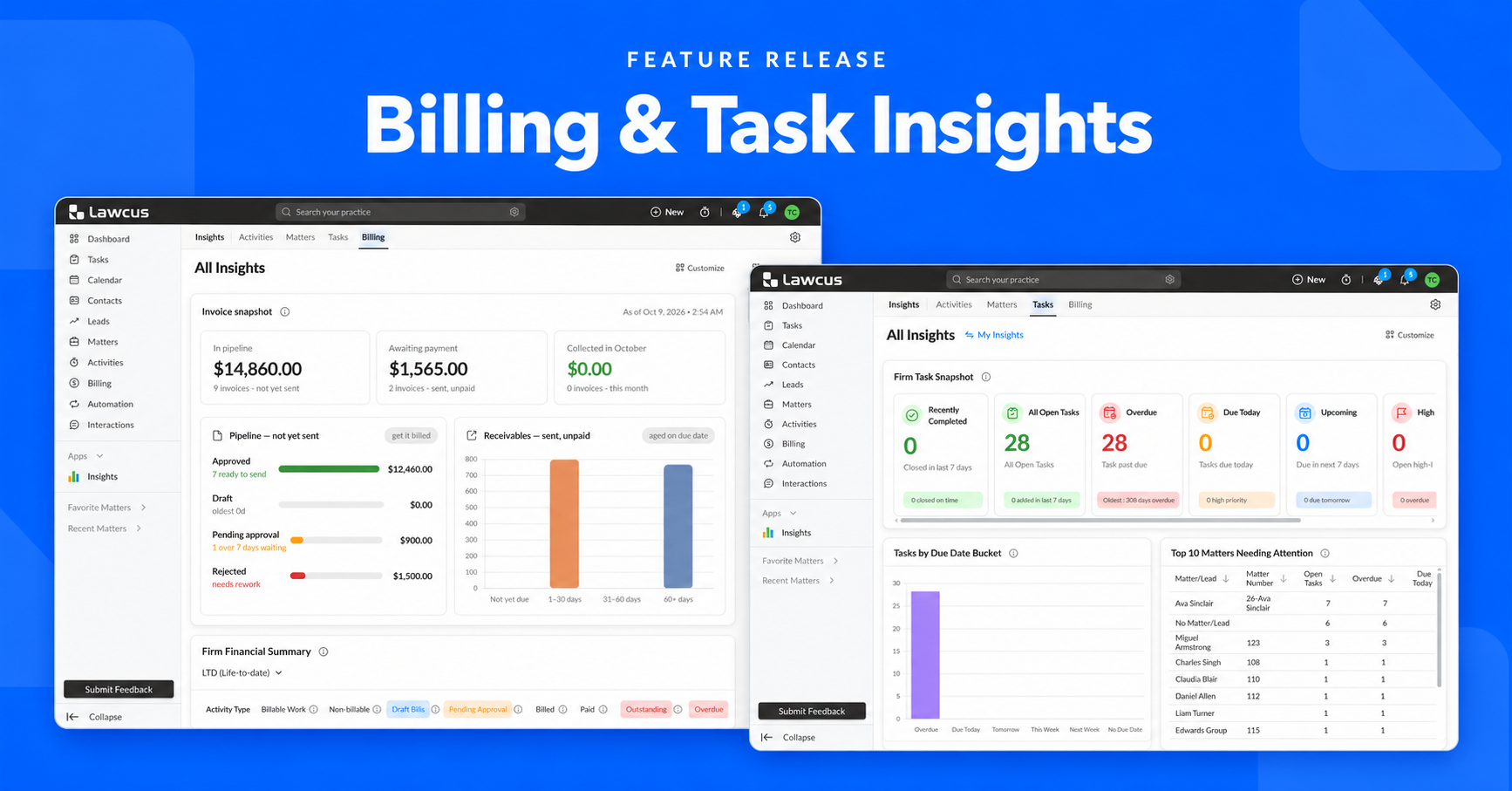
Introducing Billing and Task Insights in Lawcus

Law Firm KPIs: The Metrics Every Managing Partner Should Track
LEDES Billing for Law Firms: Formats, UTBMS Codes and Setup
12 Law Firm Workflow Automation Examples You Can Implement

Law Firm Client Intake Checklist: From Inquiry to Engagement
Practice Management
Automation
Client Intake & CRM
Billing & Accounting
Practice Area
Compare
Resources
Lawcus Inc.
4445 Eastgate Mall, Suite 200,
San Diego, CA 92121


