-

-
-
Product

Solutions
One app, all things legal

Compare
-
-
-

 Gmail
 Microsoft 365
 Wisetime
 Dropbox
 Zapier
 Quickbooks
 vs CosmoLex
 vs PracticePanther
 vs AbacusNext
 vs Caret Legal
 vs Clio
 vs MyCase
 vs Smokeball
 vs Filevine


Google Ads for Lawyers: How to Plan Your First Lead-Generation Campaign
11th November 2026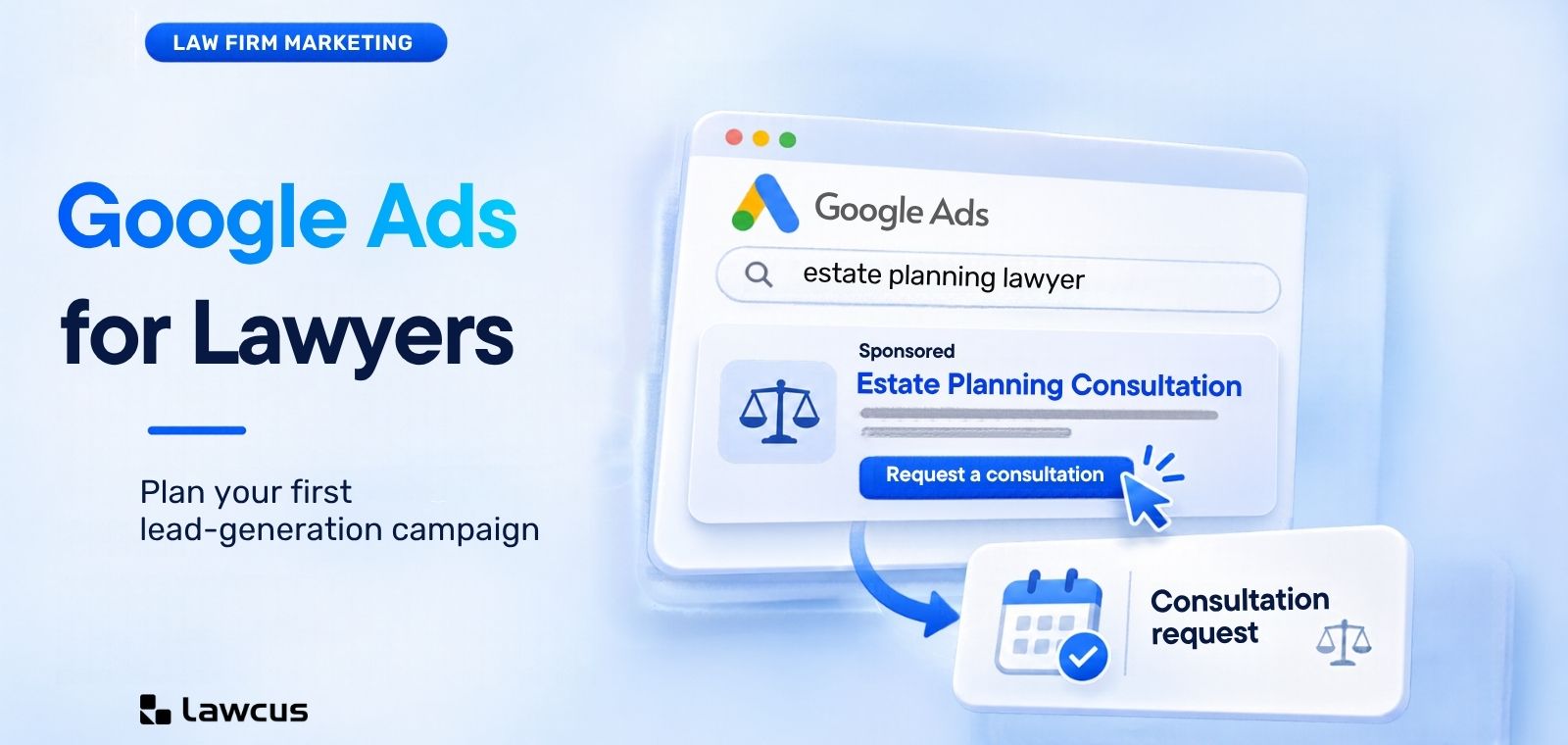
Before your firm pays for its first Google Ads click, plan what happens after the enquiry. Which service does the person need? Can your firm help? Who will respond?
This guide uses a fictional estate-planning firm in Austin, Texas, to connect a first Search campaign to a consultation process. The costs and outcomes are invented planning assumptions, not industry benchmarks or forecasts.
Your first campaign, at a glance
- Offer: one legal service and clear criteria for a suitable enquiry.
- Audience: a defined service area and focused keyword themes.
- Budget: an affordable test spend and a rule for reviewing results.
- Destination: a relevant landing page with tested enquiry tracking.
- Follow-up: a named response owner and a route to consultation.
1. Define one service and a qualified enquiry
Choose a service the firm has capacity to deliver. A focused offer makes it easier to connect the search, ad, landing page and intake questions. Expand after you understand the enquiries the first campaign produces.
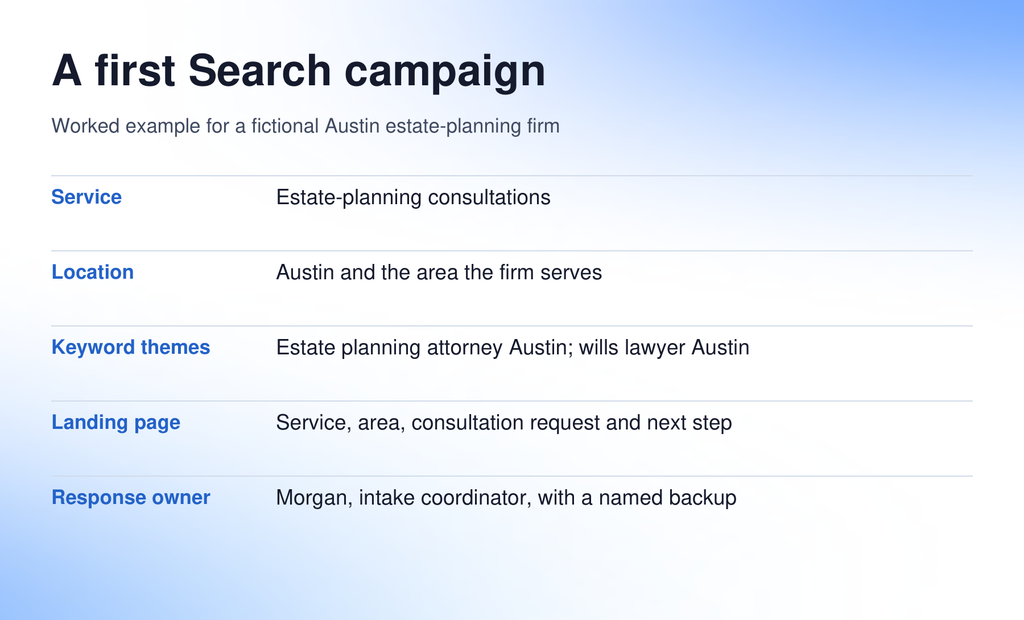
In our example: the offer is an estate-planning consultation for people seeking help with wills or trust planning.
- Qualified: the person’s legal need and location fit the firm’s services, and they want to discuss engaging a lawyer. Intake records that assessment.
- Unsuitable: the request falls outside the firm’s services or agreed criteria. Record the reason.
- Not yet assessed: the team has not reached the person or needs more information. An unanswered call needs follow-up before you judge its fit.
Agree how many consultations the team can handle and who can answer new requests. Advertising creates a response workload as well as a marketing opportunity.
2. Choose the area your firm can serve
Start with the firm’s actual service area. The example targets Austin and any nearby locations the firm has explicitly chosen to serve; it does not add surrounding cities simply to increase traffic.
Review Google’s advanced location options before launch:
- Presence or Interest: the default can include people outside the selected area who have shown interest in it.
- Presence: focuses on people likely to be in, or regularly in, the selected area.
For this strictly local example, Presence is worth evaluating. A firm serving out-of-state property owners might choose differently. Location signals are approximate, so check the geographic relevance of actual enquiries.
Keep service areas, contact details and service descriptions consistent with your local SEO work. A city name in the ad does not replace location settings.
3. Build a small keyword plan around intent
Start with searches that describe the service someone wants. Group related searches so the ad and landing page address the same need.
Example keyword themes
- estate planning attorney Austin
- wills lawyer Austin
- trust planning lawyer Austin
Review Google’s keyword matching options before choosing match types:
- Phrase match: can reach searches containing the meaning of the keyword.
- Exact match: can reach searches with the same meaning or intent. It does not restrict ads to an identical typed phrase.
- Broad match: reaches more related searches and needs an appropriate bidding and measurement setup.
Phrase and exact match both include close variants. A small list can make the first campaign easier to inspect; choose the approach with the account manager rather than applying one match type to every firm.
Prepare negative keywords for irrelevant intent. Jobs, salary and training may be exclusions for this offer. Review template-related searches individually. Negative matching behaves differently from positive matching, so check relevant variants.
After launch, use the search terms report to review available queries and refine useful themes and exclusions.
4. Set a test budget and a decision rule
Choose an amount the firm can afford to spend while learning. Keep advertising spend separate from management fees, landing-page work and tracking software. There is no single starting budget suitable for every practice.
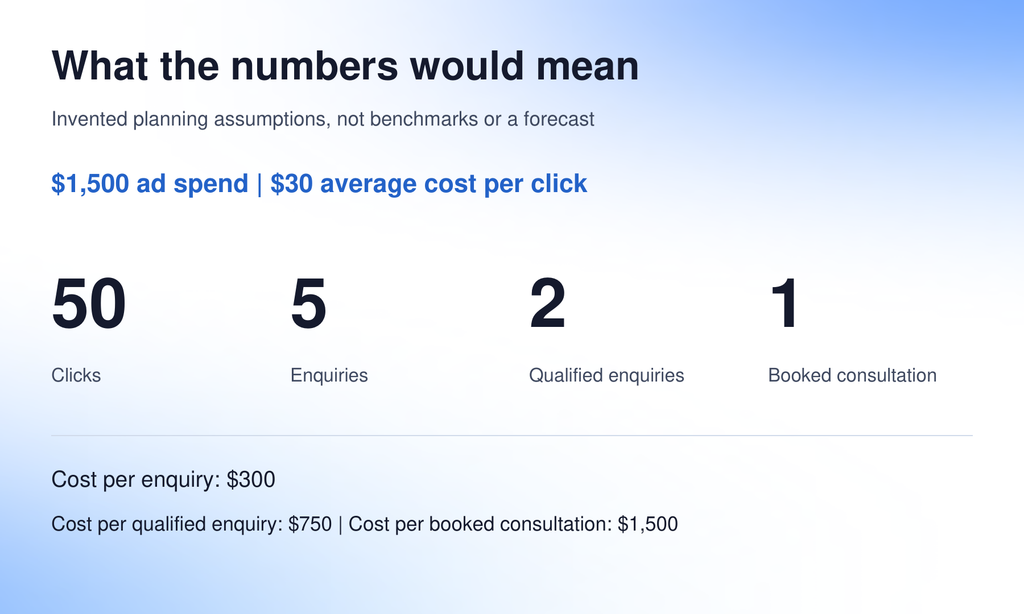
Worked example: $1,500 in ad spend at $30 per click buys 50 clicks. Assume five enquiries, two qualified enquiries and one booked consultation.
| Measure | Calculation | Illustrative cost |
|---|---|---|
| Cost per enquiry | $1,500 ÷ 5 | $300 |
| Cost per qualified enquiry | $1,500 ÷ 2 | $750 |
| Cost per booked consultation | $1,500 ÷ 1 | $1,500 |
These are invented inputs for planning arithmetic. They do not predict the firm’s results.
Google’s average daily budget is not a fixed daily cap. For most campaigns, the daily spending limit is twice the average daily budget and the monthly limit is 30.4 times it. An unchanged average of about $49.34 corresponds to roughly $1,500 over a full month. Review the budget report when changing settings.
Decide before spending: set a maximum test spend, name a review owner, and agree what qualified enquiries, booked consultations, capacity and eventual client economics would justify continuing.
5. Connect the ad to a useful landing page
Someone searching for an estate-planning lawyer should reach a page explaining that service in the advertised area. Make the connection visible in the headline and opening paragraph.
An illustrative responsive Search ad could use the following assets:
Headline assets
Austin Estate Planning · Wills and Trust Planning · Request a Consultation
Description
“Talk with our team about wills and trust planning in Austin. Request a consultation.”
Google may assemble eligible assets in different combinations, so review how each works independently.
Check the landing page on a phone:
- Explain who the firm helps and what a consultation involves.
- Use accurate lawyer credentials and relevant evidence of experience.
- Provide a clear form or call route, with readable labels and tap targets.
- Check the confirmation message, contact details and next step.
- Ask only for information needed for an initial response, with submission guidance.
Only advertise a free consultation or response commitment when the firm offers it. Review claims and disclosures under applicable rules. ABA’s Model Rule 7.1 addresses false or misleading communications; local requirements also need checking. Review Google’s personalized advertising restrictions, particularly for services involving sensitive personal hardships.
6. Test enquiry measurement before launch
Agree which successful actions should count with the website and account owners: for example, a completed consultation-request form or a call meeting the firm’s enquiry criteria. Use Google’s conversion measurement guidance to review the available sources.
- Submit the form: confirm it reaches the correct destination and is counted as intended.
- Check duplicates: repeat the submission and refresh the confirmation page.
- Test calls on a phone: distinguish answered calls, missed calls and call-button clicks.
- Reconcile records: preserve campaign/source information where the approved setup supports it, and compare a sample with the advertising report.
Keep these stages distinct:
| Stage | What it means |
|---|---|
| Platform conversion | An action configured in the advertising system. |
| Enquiry | A person contacts the firm. |
| Qualified enquiry | Intake has reviewed the person’s fit. |
| Booked consultation | An appointment is scheduled. |
| Retained client | The firm’s engagement process is complete. |
One person can create several recorded actions. Review which conversion actions inform bidding and which are observation only; avoid optimizing to casual button clicks when you need completed enquiries. Consider qualified and converted lead goals with the account manager once records and attribution are dependable.
7. Give each enquiry a response owner
In the example, Morgan, the intake coordinator, owns new consultation requests. A colleague covers absences.
- Set a realistic response target and contact schedule.
- Record the source, contact attempts, suitability assessment and next action.
- Confirm who can book consultations and handle out-of-scope requests.
- Record why an enquiry is unsuitable so reviews can identify repeated mismatches.
For firms using Lawcus, the Create Lead workflow action can create a lead from triggers such as a submitted intake form. Configure and test lead source, pipeline, stage and responsible team members. A lead-source label alone does not establish automatic Google Ads attribution.
8. Review results through enquiry quality
First check spending, the landing page and delivery of new enquiries to their owner. Then review search terms, geographic relevance and outcomes together. Click-through rate can indicate an ad’s appeal, but it cannot establish prospect suitability.
| What you see | What to investigate |
|---|---|
| Irrelevant searches | Keyword themes, match types and exclusions. |
| Suitable visitors cannot submit | The landing page and contact route. |
| Qualified enquiries get no response | Follow-up ownership and team capacity. |
Make a focused change and record why. Use consistent denominators for cost per enquiry, qualified enquiry and booked consultation; keep retained-client outcomes separate until known.
Allow for actual enquiry volume and time to consultation. Avoid firm conclusions from a handful of clicks. Pause spending if a broken contact route or missing measurement prevents you from learning.
Common questions about Google Ads for lawyers
What should a law firm budget for its first campaign?
Work backward from local keyword costs, the service and what the firm can afford to test. Use current account planning information. The $1,500 example demonstrates arithmetic; it is not a recommended budget or typical cost.
Are Search ads the same as Local Services Ads?
They are different products. This guide covers Search campaigns. Local Services Ads have their own eligibility and screening and verification requirements. Check the service category, area and current requirements before including them.
Should every form submission count as a qualified lead?
Review service and location fit first. Keep duplicate, unsuitable and uncontacted enquiries distinguishable. A form submission can count as a conversion while qualification remains a separate intake decision.
Should a first campaign target every practice area?
A focused service is easier to connect to an ad, landing page and qualification process. Broader campaigns may suit a firm with the budget, capacity and management support to evaluate several offers. Expand deliberately as you learn.
Before you switch the campaign on
- Approve the service, location and keyword brief.
- Set the test budget, review owner and decision rule.
- Test the landing page, form, calls and enquiry measurement.
- Assign a response owner and confirm the route to consultation.
A first campaign should help you learn what happens after a paid visit—and what to improve next.
Categories
Automation BlogsBilling & Accounting BlogsGeneral PracticeMarketing BlogsNews & UpdatesPractice Management BlogsRecent Posts
Google Ads for Lawyers: How to Plan Your First Lead-Generation Campaign

Feature Release: October 2026

AI Client Communication for Law Firms: A Human Review Workflow

Law Firm Referral Marketing: Build a Relationship and Follow-Up System
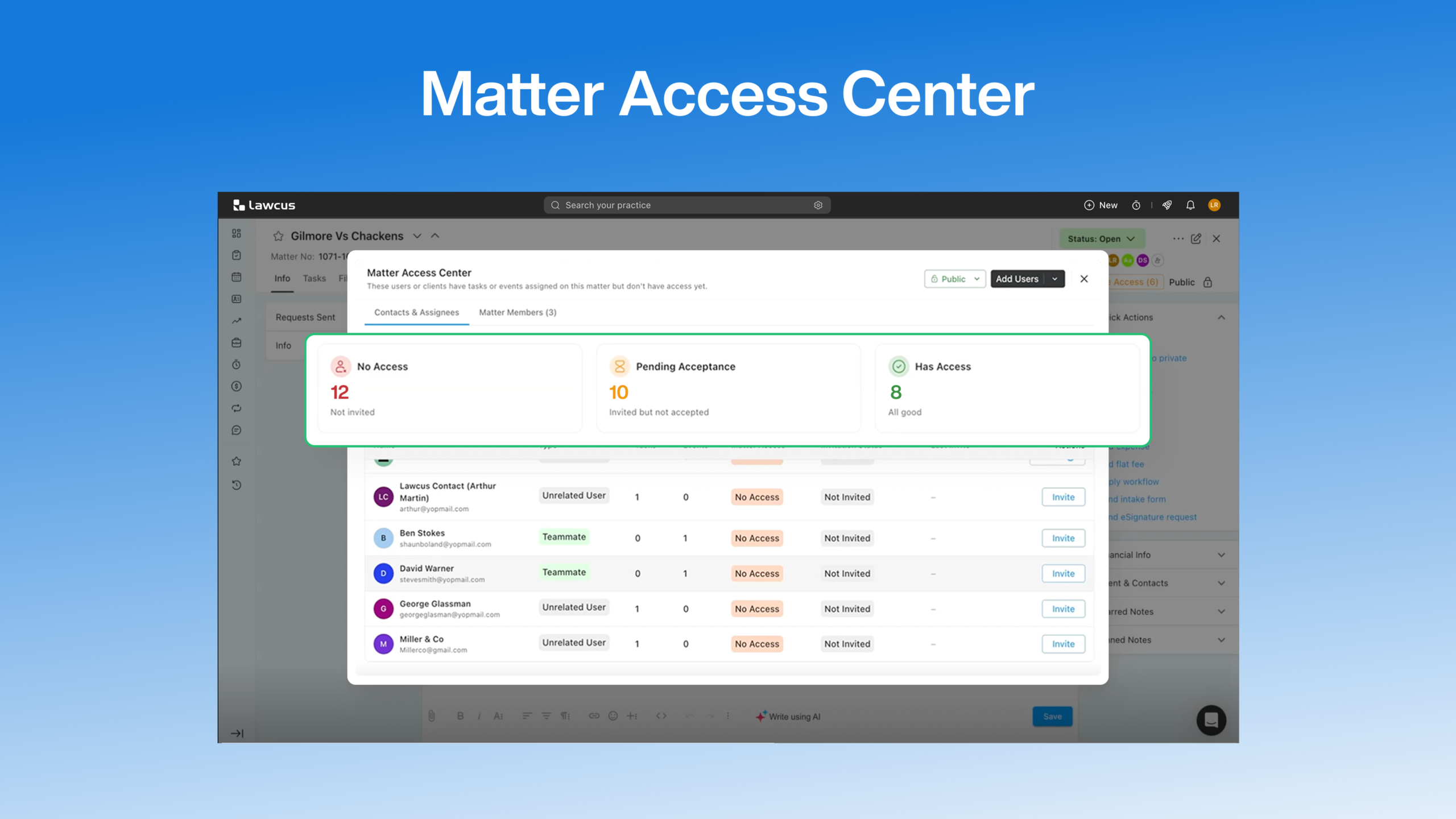
Introducing Matter Access Center: Manage Matter Participants and Access in One Place
Practice Management
Automation
Client Intake & CRM
Billing & Accounting
Practice Area
Compare
Resources
Lawcus Inc.
4445 Eastgate Mall, Suite 200,
San Diego, CA 92121


