-

-
-
Product

Solutions
One app, all things legal

Compare
-
-
-


 Gmail
Gmail  Microsoft 365
  Wisetime
  Dropbox
  Zapier
  Quickbooks
  vs CosmoLex
  vs PracticePanther
  vs AbacusNext
  vs Caret Legal
  vs Clio
  vs MyCase
  vs Smokeball
  vs Filevine


Introducing Billing and Task Insights in Lawcus
9th October 2026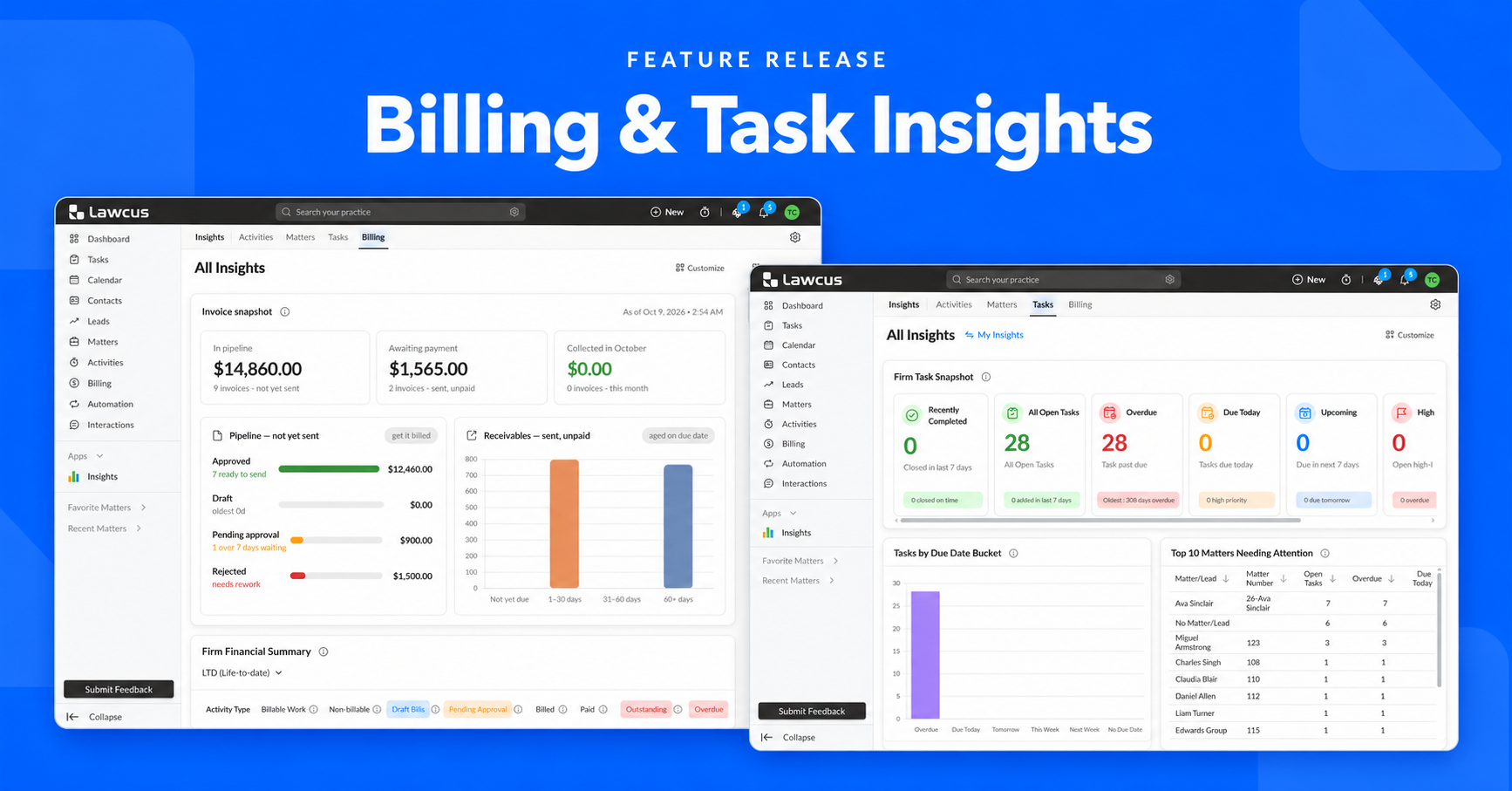
A busy law firm can be very active and still lack a clear picture of what needs attention. Invoices may be prepared but not sent. Payments may be outstanding without being overdue. Tasks may be approaching their deadlines while urgent work is spread across several matters.
Understanding those differences helps your team decide what to do next. Which invoices need review? Which balances need a follow-up? What must be completed today? Which matters have a concentration of open or urgent tasks?
With Billing Insights and Task Insights, Lawcus brings those questions into focused, interactive views. Your firm can review billing performance and task workload, investigate the records behind the numbers, and make everyday decisions with more context.
The release also introduces a dedicated Insights section in the left menu, giving your team a clear place to access performance information across the firm.
Insights now has its own place in the left menu
The new Insights entry makes these views easier to find. Open Insights from the left menu to see the Activities, Matters, Tasks, and Billing tabs, then choose the area you want to review.
For this release, start with Billing to examine invoices, payments, and receivables, or Tasks to review deadlines, priorities, and work needing attention. Having a dedicated home for Insights makes it easier to move between financial and operational questions during the same review.
Billing Insights: Understand where your firm’s money stands
Billing Insights brings five interactive views together to help firms follow the billing lifecycle. You can examine invoices still in the pipeline, money awaiting payment, collections, financial summaries, historical performance, and the age of unpaid balances.
Each view answers a different question. Together, they help the firm identify whether the next step belongs in invoice preparation, approval, sending, or collections.
Invoice Snapshot: See what is ready, waiting, or paid
Invoice Snapshot separates invoices into three states: In pipeline, Awaiting payment, and Collected in the current month. The pipeline includes invoices created but not yet sent. Awaiting payment shows sent invoices with unpaid balances. Collections reflects money received during the current month.
The pipeline is broken down into Approved, Draft, Pending approval, and Rejected invoices. These statuses make the next step clearer: approved invoices are ready to send, drafts are still being prepared, pending invoices need a reviewer, and rejected invoices need rework.
For example, a firm may discover that a large amount is approved but has not been sent. That calls for a different response from an overdue client balance. Seeing the status helps the billing team focus on the step holding up progress.
Click a headline total, pipeline status, or receivables bucket to inspect the individual invoices behind it. The snapshot turns a broad question about billing into a specific set of records to review.
Firm Financial Summary: Review the components of billing
Firm Financial Summary presents time, expenses, flat fees, and tax in one table, alongside a total. Its columns cover recorded billable and non-billable value, draft bills, pending approval, billed amounts, payments, outstanding balances, overdue balances, and discounts.
This gives the firm a way to examine more than the overall total. Expenses, flat fees, and time can contribute differently to billing and collections. Looking at each activity type can help identify where a closer review is needed.
The date behind each measure matters. Recorded work follows the activity date, sent invoices follow the invoice date, payments follow the payment date, and overdue balances depend on the due date. Work performed in one month may be invoiced in another and paid later.
Interactive amounts let you explore the detail behind a figure. Rather than treating a large outstanding total as one problem, your team can investigate its components and identify the relevant invoices.
Year-over-Year Comparison: Put performance into context
The Billable Work, Billed and Collected comparison shows the value of work recorded, invoices sent, and payments received alongside the corresponding period last year. You can review amounts or percentage growth, with monthly, quarterly, and annual views.
These measures help distinguish between different kinds of progress. More recorded work may not yet mean more invoices sent, and more invoices sent may not yet mean more money collected. A gap provides a starting point for investigation.
For example, if billing has increased while collections have not kept pace, the firm can review payment timing and unpaid balances. Drilldowns help connect the trend to the clients, matters, timekeepers, or transactions behind it.
Outstanding AR by Issue Date: See everything still owed
Outstanding accounts receivable, or AR, includes unpaid invoice balances, even when an invoice is not due yet. This chart ages those balances from the invoice issue date.
Aging buckets show how long money has been outstanding, while the By Date view plots balances across issue dates. Available breakdowns help the firm examine where balances are concentrated, including by client, matter, practice area, or invoice.
An outstanding balance is not automatically late. An invoice issued recently may still be within its agreed payment terms. This view helps the team understand the wider receivables position before deciding what follow-up is appropriate.
Overdue AR Aging by Due Date: Focus on late payments
Overdue AR Aging focuses on invoice balances that remain unpaid after their due date. It groups them by how far past due they are, separating overdue payments from the broader outstanding balance.
Use the aging view, By Date view, and available breakdowns to identify the invoices and accounts needing attention. The distinction between issue-date aging and due-date aging helps the firm understand both how long a balance has existed and how late the payment is.
A collection review can begin with older overdue balances, then move into the underlying invoices. Checking the amount paid, remaining balance, and relevant dates gives the team context before contacting a client.
Task Insights: Understand what needs attention
Task Insights adds visibility into deadlines, priorities, workload distribution, and matters needing attention. It offers two perspectives: My Task Insights for tasks assigned to you, and All Task Insights for work across the firm.
The personal view supports daily planning. The firm view supports oversight. Both use interactive charts, tiles, and tables to help users explore the underlying tasks.
My Task Insights: Plan your day with a clearer view
My Task Insights includes a Task Snapshot, Tasks by Due Date Bucket, Today’s Tasks, and Top Matters Needing Attention. These views bring together overdue work, tasks due today, upcoming deadlines, high-priority work, and tasks without due dates.
For an individual user, this supports a more deliberate start to the day. A long task list can make everything seem equally urgent. Reviewing the deadline and priority views helps you decide what needs immediate attention and what can be planned for later.
For example, you might begin with overdue tasks, check what is due today, and then review upcoming work. Looking ahead gives you time to prepare for a deadline instead of discovering it only when it becomes urgent.
Tasks without due dates also deserve a review. Some may intentionally have no deadline, while others may need one added during normal task planning. Bringing them into view helps prevent undated work from disappearing from the team’s attention.
All Task Insights: Review workload across the firm
All Task Insights includes the Firm Task Snapshot, Tasks by Due Date Bucket, and Top Matters Needing Attention. It helps leadership examine the firm’s task workload and identify potential bottlenecks.
A firm review can start with the distribution of deadlines. If a large volume of tasks is approaching at the same time, managers can investigate the work involved and discuss priorities with the relevant team members.
The goal is to make those conversations specific. A deadline total alone cannot explain whether the team needs more preparation, a different sequence of work, or help resolving a dependency. Reviewing the underlying tasks provides the context.
Top Matters Needing Attention: Review work in context
This view highlights matters with a higher concentration of open or urgent tasks. It helps users and managers identify where task activity may need a closer look.
Several tasks on the same matter can create a different planning challenge from the same number spread across unrelated files. Reviewing the matter helps the team understand how the tasks relate, what should happen first, and which next steps require coordination.
A high task count is a reason to investigate. The nature of the work, its deadlines, and its priorities determine the appropriate response. Task Insights gives the team a starting point for that review.
Investigate the records behind the numbers
The value of Insights extends beyond the overview. In Billing Insights, drilldowns let the team inspect invoice amounts, payments, outstanding balances, invoice dates, due dates, and days overdue. Task Insights lets users explore the tasks behind its summaries.
That makes a review more practical. A billing team can identify the invoices requiring attention, while a matter manager can examine the tasks contributing to a workload concern. The next conversation begins with specific records.
Make Billing and Task Insights part of your routine
Start the day with Task Insights to review overdue work, today’s deadlines, and upcoming tasks. During a team meeting, use the firm view to identify matters that deserve a discussion and agree on the next steps.
For a billing review, begin with Invoice Snapshot to distinguish between preparation, approval, and sending. Then review outstanding and overdue AR separately, and use the historical comparison to put the current period into context.
These reviews support different responsibilities, but they share a useful habit: identify a question, inspect the relevant detail, and assign a clear follow-up. Keeping that habit consistent helps the firm act on information while it can still influence the next step.
Get started
Open Insights in the left menu and select Billing or Tasks. Billing provides a firm-level view, while Task Insights offers personal and firm perspectives according to your permissions. Billing Insights is available on Elite and Enterprise plans and requires the All Insights (Billing) permission.
For Task Insights, access is controlled through My Insights (Task) and All Insights (Task). Your administrator can confirm the views available to your role.
With a dedicated Insights section and focused views for billing and tasks, Lawcus gives your firm a clearer way to understand what is waiting, what is overdue, and what needs attention next.
Categories
Automation BlogsBilling & Accounting BlogsGeneral PracticeMarketing BlogsNews & UpdatesPractice Management BlogsRecent Posts

Feature Release: October 2026

AI Client Communication for Law Firms: A Human Review Workflow

Law Firm Referral Marketing: Build a Relationship and Follow-Up System
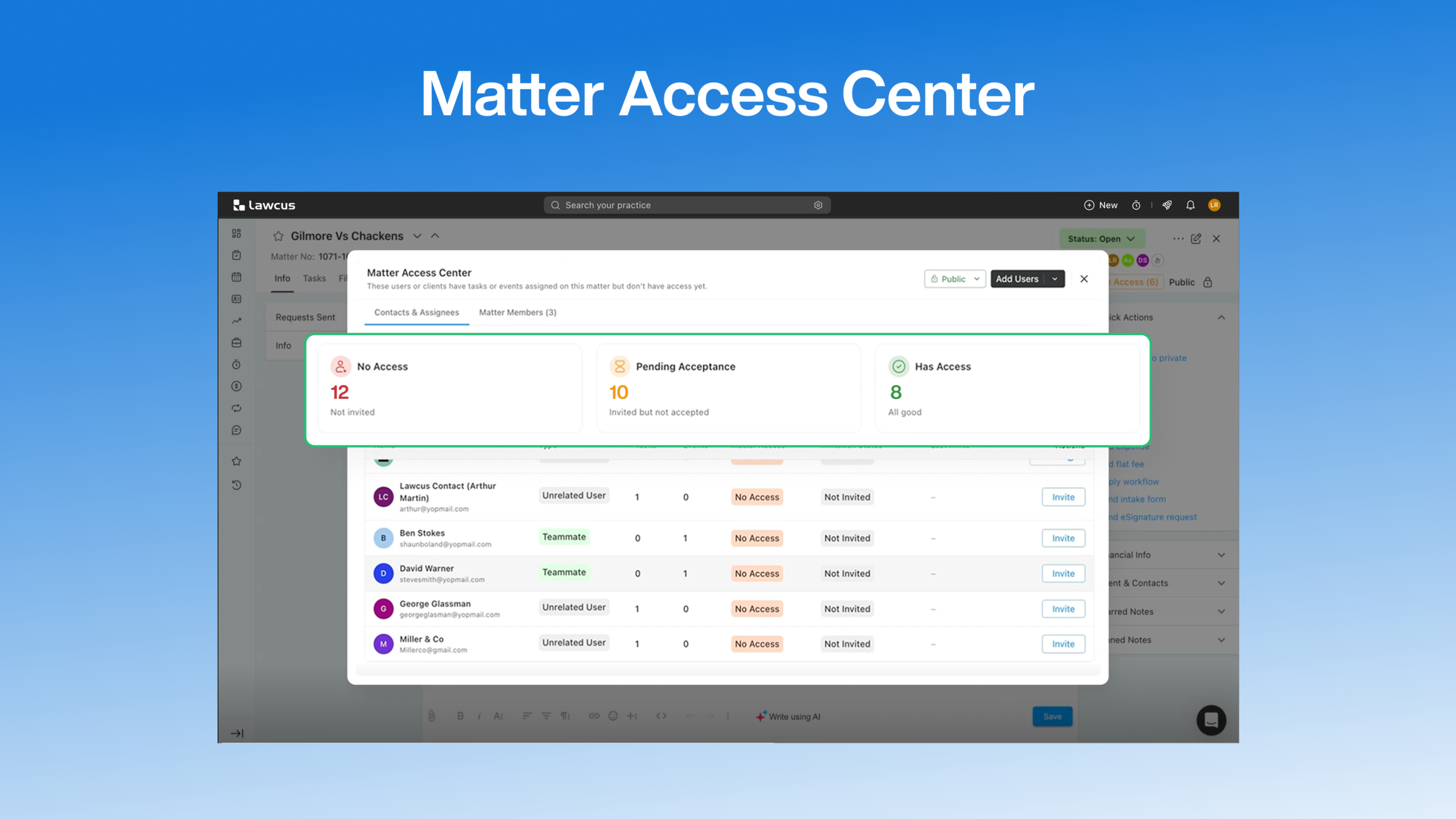
Introducing Matter Access Center: Manage Matter Participants and Access in One Place

Client Portal Communication for Law Firms
Practice Management
Automation
Client Intake & CRM
Billing & Accounting
Practice Area
Compare
Resources
Lawcus Inc.
4445 Eastgate Mall, Suite 200,
San Diego, CA 92121


