-

-
-
Product

Solutions
One app, all things legal

Compare
-
-
-


 Gmail
Gmail  Microsoft 365
  Wisetime
  Dropbox
  Zapier
  Quickbooks
  vs CosmoLex
  vs PracticePanther
  vs AbacusNext
  vs Caret Legal
  vs Clio
  vs MyCase
  vs Smokeball
  vs Filevine


How to Choose Legal Billing Software for a Law Firm
15th October 2026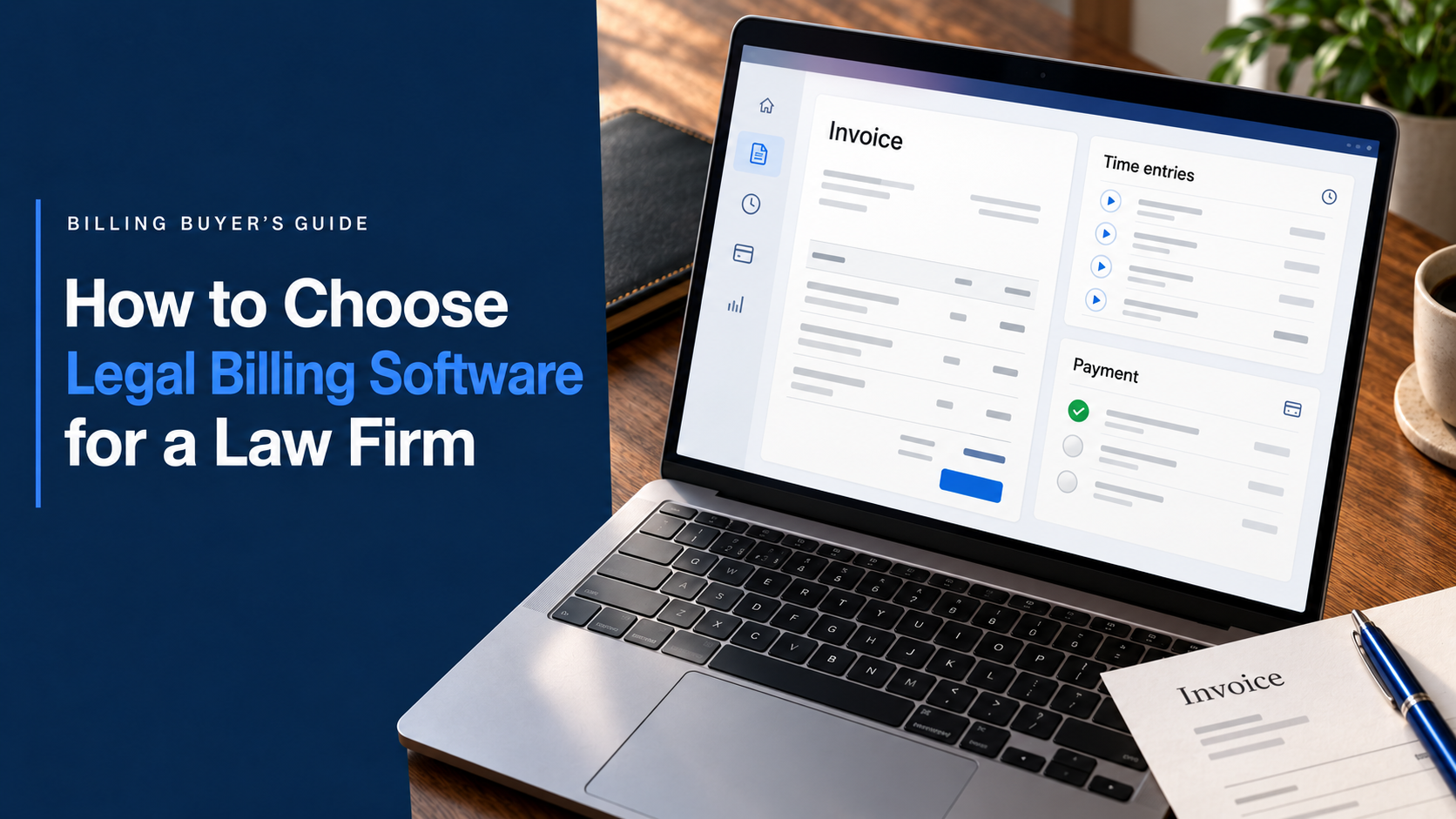
A practical buyer’s guide to evaluating billing workflows, financial controls, integrations, reporting, migration and long-term fit.
Legal billing software sits at the point where a law firm’s work becomes revenue. The right system helps people capture billable activity, prepare accurate invoices, collect payments, manage retainers and understand financial performance. The wrong system creates manual corrections, delayed bills and gaps between attorneys, billing staff and accounting.
A useful evaluation should therefore begin with the firm’s real billing workflow, not the vendor’s feature list. This guide explains what to assess, what to test during a demonstration and how to compare products using evidence rather than promises.
Key takeaways
- Map the complete billing process before comparing products.
- Test realistic matters, rates, invoices, retainers and payment scenarios.
- Confirm trust-accounting, security and recordkeeping requirements for your jurisdiction.
- Evaluate migration, integrations, data ownership and support alongside features.
- Prefer a connected workflow that reduces re-entry between matters, time, billing and reporting.
Start with the workflow, not the software
Document how a bill moves through your firm today. Begin when work is performed and end when payment is reconciled. Identify who records time and expenses, reviews pre-bills, approves adjustments, sends invoices, follows up on balances and posts payment information.
Then identify friction that software should remove. Common problems include late time entries, inconsistent descriptions, rates stored in spreadsheets, manual invoice assembly, unclear approvals, duplicate accounting entry and weak accounts-receivable visibility.
Turn these problems into measurable outcomes. Your firm might aim to shorten the time between month-end and invoice delivery, increase same-day time entry, reduce billing corrections or eliminate repeated data entry. Those outcomes become the standard against which every product is tested.
Define every billing model and client requirement
List the billing arrangements your firm uses now and expects to use during the next two or three years. Hourly billing requires flexible rates by timekeeper, role, client or matter. Flat-fee work needs milestones and clear invoicing rules. Contingency matters require expense visibility without ordinary monthly time bills. Subscription, capped-fee and hybrid arrangements add further requirements.
Also identify client-specific rules. Corporate and insurance clients may require LEDES files, UTBMS codes, approved timekeeper rates or narrative standards. The LEDES Oversight Committee maintains the legal industry’s electronic billing standards, so firms serving these clients should verify the formats and validation process each vendor supports.
Do not test only the easiest invoice. Ask the vendor to demonstrate a discount, split bill, partial payment, credit, retainer draw and corrected invoice. Add taxes, multiple currencies or office entities if your firm uses them.
Decide whether billing should stand alone or connect to practice management
Standalone billing software can suit a firm with established matter-management and accounting systems or a specialized enterprise process. The tradeoff is that client, matter, rate, time and payment data may need to move between products.
An integrated practice-management platform can connect intake, matters, tasks, time, expenses, billing, payments and reporting. This reduces duplicate records and makes it easier to follow work from engagement through collection. Choose based on your current technology, internal ownership and willingness to maintain integrations.
Eight capabilities to evaluate
1. Time and expense capture
Test timers, manual entries, mobile access, activity codes, non-billable time, expenses and approvals. Time entry must be fast enough that lawyers and staff will use it consistently. Lawcus time and expense tracking connects time and costs directly to matters.
2. Invoice creation and review
Evaluate templates, batch billing, pre-bill review, approval routing, adjustments, discounts, taxes and delivery. Reviewers should understand what changed and why. The Lawcus billing and invoicing workflow connects time, expenses, invoice preparation, approvals, payments and outstanding balances.
3. Retainers and trust accounting
Client funds require separation, complete records and reliable reconciliation. The ABA Model Rules on Client Trust Account Records emphasize preserving complete trust-account records. ABA guidance on law-firm accounting also recommends detailed client-fund tracking and reconciliation.
Confirm client ledgers, trust and operating separation, retainer application and jurisdiction-specific reports. Lawcus trust accounting connects client-fund records with billing and payments. Software supports the process, but the firm remains responsible for its procedures and local rules.
4. Payments and collections
Test credit card, debit card, ACH or e-check options, payment links, partial payments, reminders and trust-payment handling. Clients should have a convenient experience without creating extra reconciliation work. Lawcus Payments connects online collection with operating and trust-account workflows.
5. Reporting and financial visibility
Partners should be able to see work in progress, billing, collections and outstanding balances without assembling spreadsheets. Ask whether reports can be filtered, customized and exported. Lawcus reporting provides dashboards and customizable operational and financial reports.
6. Accounting and other integrations
List every system that must exchange billing data. Verify what moves, in which direction and how exceptions are resolved. The Lawcus QuickBooks integration sends invoices, payments, expenses and related financial data from Lawcus to QuickBooks Online. Ask to see the actual sync, not an integration logo.
7. Permissions, security and auditability
Evaluate role-based access, approval permissions, audit trails, encryption, authentication, backups and export controls. Ask how former employees are removed, how incidents are handled and how the firm retrieves its data when the relationship ends.
8. Automation and client communication
Useful automation reduces predictable administration while preserving human review. Test approval rules, recurring billing tasks, payment reminders, retainer requests and overdue-balance alerts. Confirm messages can be reviewed, branded and stopped when circumstances change.
Run a scenario-based demonstration
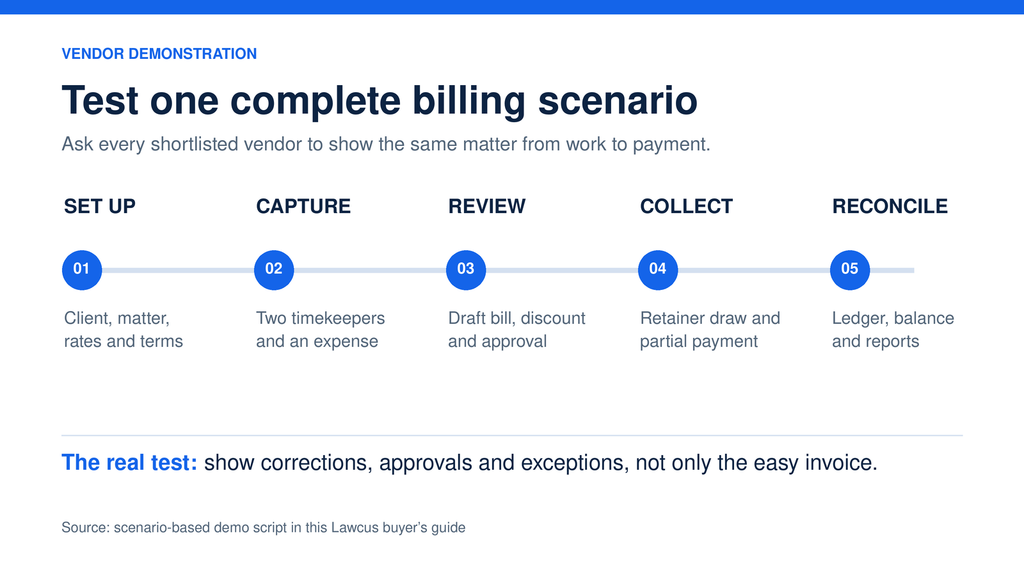
Give every shortlisted vendor the same test script using anonymized examples from your practice. Ask each vendor to:
- Create a client and matter with the correct billing arrangement.
- Enter time and an expense for two timekeepers.
- Apply matter-specific rates and an invoice discount.
- Generate a draft bill and route it for approval.
- Edit a narrative and record the adjustment.
- Apply retainer funds and collect a partial online payment.
- Show the client ledger and remaining balance.
- Export invoice, payment and accounting data.
- Produce work-in-progress, collection and accounts-receivable reports.
- Correct an error and show the audit trail.
Score what you see. Record the number of steps, repeated entry, permissions, workarounds and unanswered questions. A consistent script makes products comparable.
Evaluate implementation, migration and support
Ask for a written migration scope covering clients, matters, balances, trust records, time entries, invoices, payments and historical reports. Clarify what will be imported, how fields will be mapped and how the firm will validate totals before launch.
Include billing staff, attorneys and administrators in the trial. Each group will identify different risks. Confirm training, support channels, response expectations and responsibility for post-launch corrections.
Also confirm data ownership, export formats, contract terms, cancellation requirements and access to historical information.
Use a weighted buyer scorecard
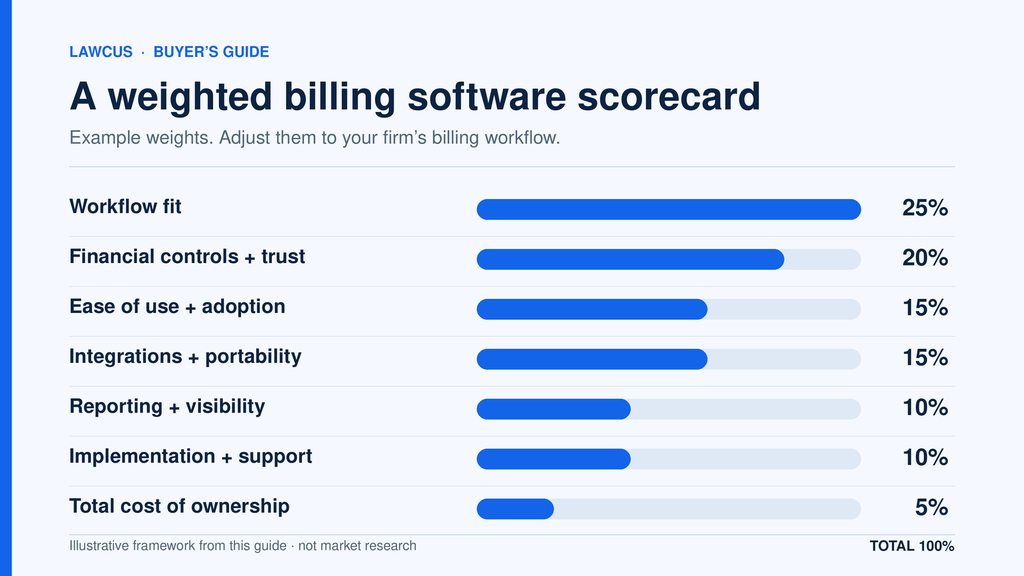
A scorecard prevents the decision from being driven by the most polished demonstration. A sample weighting is:
- Workflow fit: 25 percent
- Financial controls and trust-account support: 20 percent
- Ease of use and adoption: 15 percent
- Integrations and data portability: 15 percent
- Reporting and management visibility: 10 percent
- Implementation, training and support: 10 percent
- Total cost of ownership: 5 percent
Total cost should include subscriptions, migration, implementation, processing fees, add-ons, training and internal administration. A lower license price may not be cheaper if the firm must maintain manual workarounds.
Watch for warning signs
Be cautious when a vendor cannot demonstrate your scenarios, treats trust accounting like ordinary bookkeeping, gives vague answers about exports or relies on undisclosed add-ons. Other warning signs include unclear implementation ownership, weak permission controls, manual integrations and reports that cannot be reconciled to transaction records.
Frequently asked questions
What is the difference between legal billing software and accounting software?
Legal billing software manages matter-based time, expenses, rates, invoices, retainers and client payments. Accounting software manages the broader books, including the general ledger, bank reconciliation, expenses and financial statements. Many firms connect the two.
Does every law firm need trust-accounting features?
A firm needs appropriate controls whenever it holds client or third-party funds. Requirements vary by jurisdiction. If trust funds are involved, evaluate client ledgers, fund separation, reconciliation and reporting before purchase.
How long does implementation take?
Timing depends on data volume, quality, integrations, configuration, training and billing complexity. Ask vendors for a scope based on your data, then include validation and user-acceptance testing.
What should a firm export before changing systems?
Plan for clients, matters, contacts, time entries, expenses, rates, invoices, payments, trust balances, client ledgers and key reports. Keep read-only historical exports when detailed transactions will not move to the new platform.
What is the best legal billing software for a small law firm?
For a small law firm, the best legal billing software is the option that fits its billing models, trust-accounting obligations, payment process, reporting needs and existing tools without creating duplicate data entry. Shortlist products that can demonstrate the firm’s real workflows, then compare ease of use, implementation, support, data portability and total cost with the same test script and weighted scorecard.
Choose for the complete revenue workflow
The best legal billing software is not the product with the longest feature list. It is the platform that fits the firm’s billing arrangements, protects financial controls, supports adoption and produces reliable information from work performed through payment received.
Begin with documented workflows, test real scenarios and score vendors consistently. Firms that want billing connected with matters, time, payments, trust accounting and reporting can explore Lawcus legal billing software and evaluate the complete workflow in a trial or demonstration.
Categories
Automation BlogsBilling & Accounting BlogsGeneral PracticeMarketing BlogsNews & UpdatesPractice Management BlogsRecent Posts
How to Choose Legal Billing Software for a Law Firm
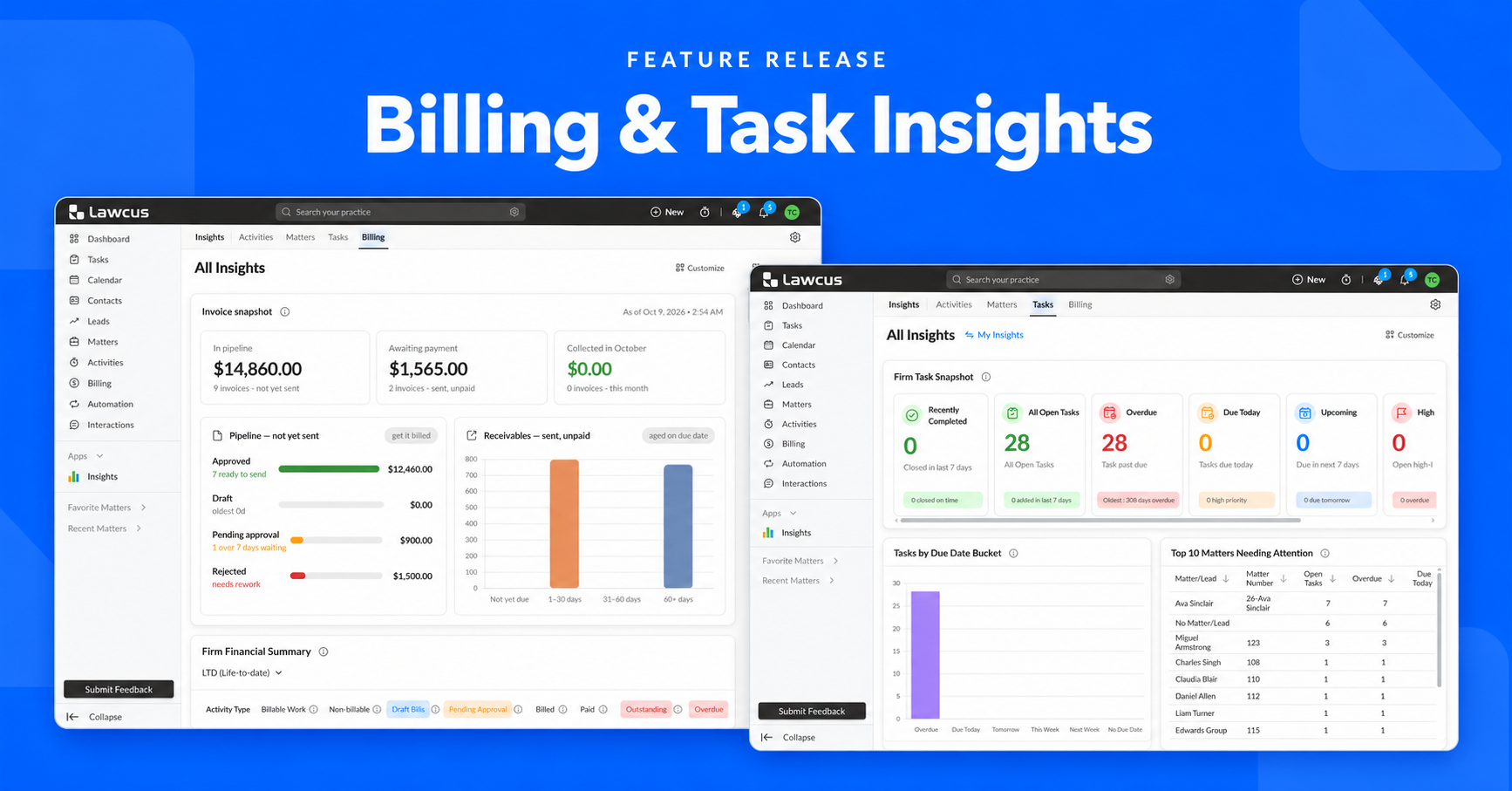
Introducing Billing and Task Insights in Lawcus

Law Firm KPIs: The Metrics Every Managing Partner Should Track
LEDES Billing for Law Firms: Formats, UTBMS Codes and Setup
12 Law Firm Workflow Automation Examples You Can Implement
Practice Management
Automation
Client Intake & CRM
Billing & Accounting
Practice Area
Compare
Resources
Lawcus Inc.
4445 Eastgate Mall, Suite 200,
San Diego, CA 92121


