-

-
-
Product

Solutions
One app, all things legal

-
-
-


 Gmail
Gmail  Microsoft 365
  Wisetime
  Dropbox
  Zapier
  Quickbooks
  vs CosmoLex
  vs PracticePanther
  vs AbacusNext
  vs Caret Legal
  vs Clio
  vs MyCase


12 Law Firm Workflow Automation Examples You Can Implement
1st October 2026
A practical workflow should reduce repetitive administration without removing professional judgment. For law firms, that means automating predictable handoffs, reminders, document preparation and status updates while keeping lawyers in control of conflicts, legal advice, deadlines and exceptions.
This guide explains 12 law firm workflow automation examples that can be implemented in stages. Each example identifies the trigger, the automated actions and the point where a person should review the work. The goal is not automation for its own sake. The goal is a more consistent client experience, clearer ownership and fewer tasks that depend on memory.
What is law firm workflow automation?
Law firm workflow automation uses rules to start a defined sequence of actions when a specific event occurs. A trigger might be a new inquiry, a matter moving to a new stage, a form being completed, an invoice becoming overdue or a matter being closed.
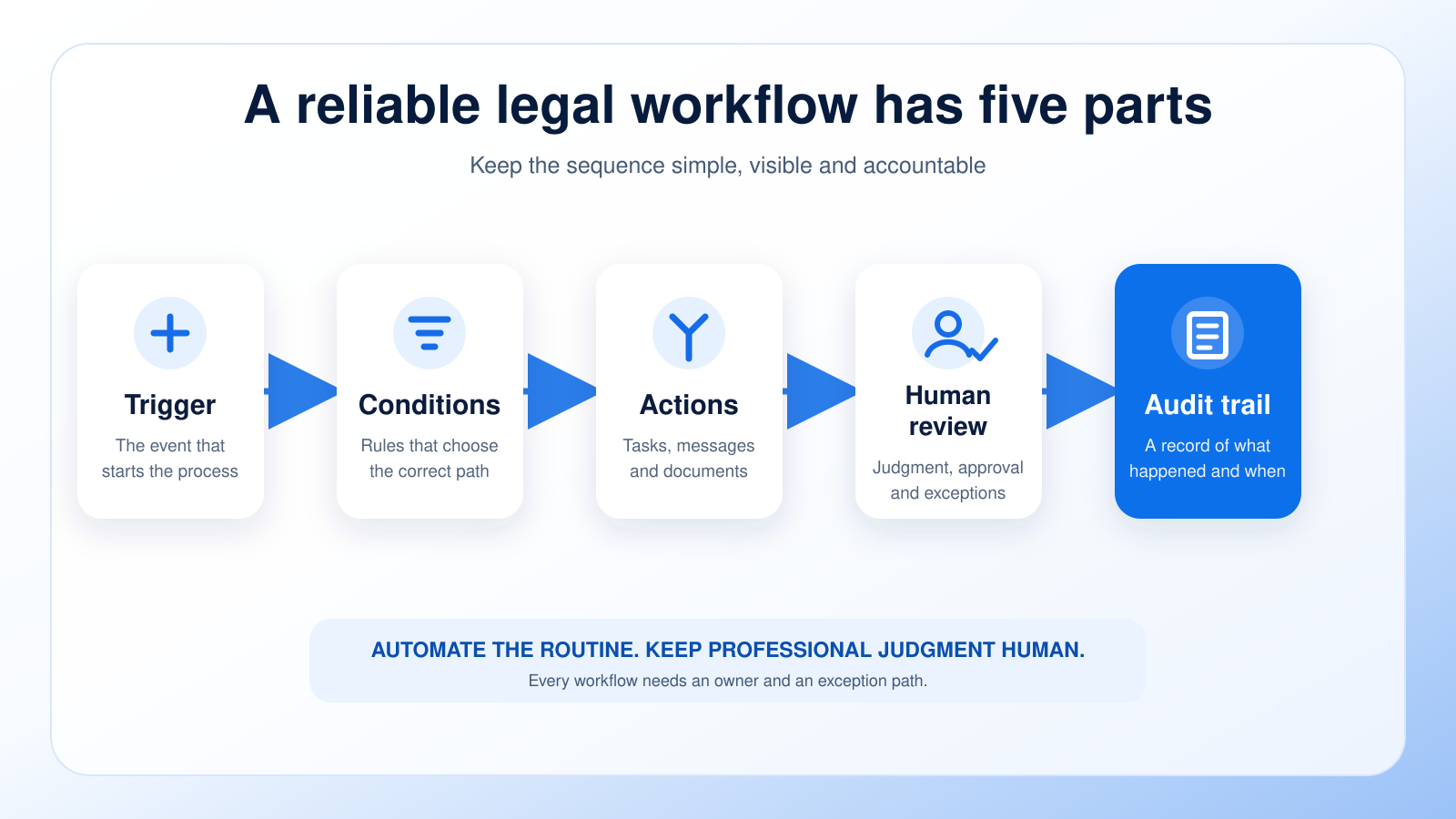
A useful workflow usually contains five parts:
- A trigger that starts the workflow.
- Conditions that determine whether the workflow should continue or branch.
- Actions such as creating a task, sending a message or generating a document.
- A human review point for judgment, approval or an exception.
- An audit trail that records what happened and when.
In Lawcus, workflows can combine triggers, conditions, time delays, reminders, tasks, documents, emails and billing actions. The strongest use cases connect client intake with matter management, task management, document automation and billing so information moves forward without being re-entered.
What should law firms automate?
Start with work that is repetitive, rules-based, frequent and easy to verify. Good candidates include acknowledgements, task creation, internal notifications, document assembly, routine follow-ups, invoice reminders and matter-closing checklists.
Do not fully automate decisions that require legal judgment. Conflict clearance, legal advice, deadline interpretation, client acceptance, fee decisions and exception handling should remain under appropriate lawyer supervision. Automation can gather information and present the next step, but the responsible professional should make the decision.
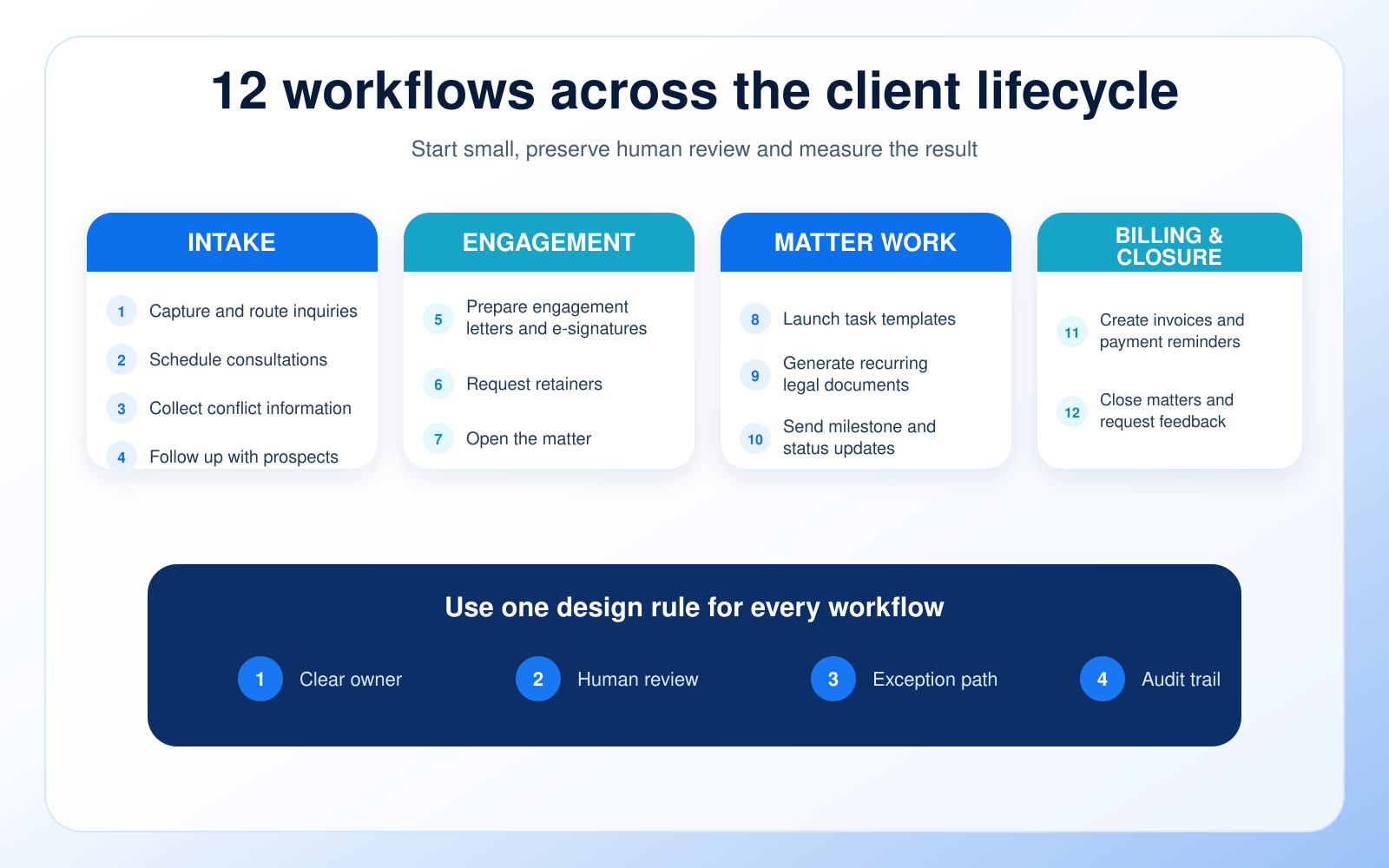
1. Capture and route new inquiries
Trigger: A prospect submits a website form, sends an email or is added manually.
Automated actions: Create the contact and lead record, record the referral source and practice area, assign an intake owner, set a response deadline and send an acknowledgement.
Human review: The intake owner checks urgency, jurisdiction, fit and the information required for the next step.
This workflow prevents inquiries from sitting in a shared inbox without a clear owner. It also preserves source data that can later show which marketing channels produce qualified matters. Firms can pair this workflow with a law firm client intake checklist to standardize what is collected before a consultation.
2. Schedule consultations and reduce no-shows
Trigger: An inquiry reaches the consultation stage.
Automated actions: Send a booking link, confirmation, calendar invitation, preparation instructions and timed reminders. If the prospect does not book within a defined period, create a follow-up task.
Human review: A staff member handles rescheduling, accessibility requests, urgent matters and unusual consultation requirements.
A consultation workflow should tell the prospect what to expect, which documents to bring and how to reschedule. Clear instructions improve the experience without requiring staff to write the same message repeatedly.
3. Collect conflict-check information
Trigger: A prospect is qualified for a conflict review.
Automated actions: Send a secure form requesting names of prospective clients, adverse parties, related entities and relevant witnesses. Notify the assigned reviewer when the information is complete.
Human review: A lawyer or authorized team member conducts and clears the conflict process under firm policy.
The automation should collect and organize information, not decide whether a conflict exists. Build an exception path for incomplete names, aliases, related companies and results that require escalation.
4. Follow up with unresponsive prospects
Trigger: A qualified prospect has not booked, replied or completed a required form within a defined period.
Automated actions: Send one or more courteous follow-ups, create a call task and stop the sequence immediately when the prospect responds or changes status.
Human review: The intake owner decides when to close, refer or continue pursuing the inquiry.
Keep the sequence short and useful. Each message should provide a clear next action rather than simply asking whether the recipient saw the previous email. The workflow must respect consent, communication preferences and applicable marketing rules.
5. Prepare engagement letters and e-signature requests
Trigger: The firm approves the prospective client and confirms the scope and fee arrangement.
Automated actions: Generate the correct engagement document from an approved template, insert verified matter data, route it for internal review and then send it for electronic signature.
Human review: The responsible lawyer confirms the client, parties, scope, exclusions, fees and jurisdiction-specific language before sending.
Document automation can reduce retyping, but only when templates are controlled. Use versioned templates, restrict who can edit them and require approval before client-facing documents are released. Lawcus supports document templates and a Create Document workflow action for repeatable document generation.
6. Request retainers and payment setup
Trigger: The engagement agreement is signed or reaches the firm’s approved payment stage.
Automated actions: Send payment instructions, create a task to verify receipt, remind the client when appropriate and notify the assigned team when onboarding requirements are complete.
Human review: Finance or the responsible lawyer verifies the correct amount, destination and trust-accounting treatment.
The workflow should never guess whether funds belong in trust or operating accounts. Configure the sequence around the firm’s accounting controls and jurisdictional rules, then connect it to the billing and invoicing process.
7. Open the matter and hand off intake data
Trigger: Required engagement and payment conditions are satisfied.
Automated actions: Create or update the matter, carry forward approved contact and intake data, assign the responsible team, set the matter stage and launch the correct onboarding checklist.
Human review: The matter owner verifies names, matter type, responsible professionals, billing settings and the first substantive deadline.
This is where intake automation should connect cleanly with legal practice management software. A strong handoff eliminates duplicate entry and makes ownership visible to the entire team.
8. Launch task and deadline templates
Trigger: A matter is opened or moved to a defined stage.
Automated actions: Create the relevant task set, assign owners, add relative due dates and notify the team of the next required action.
Human review: A qualified professional validates every legal deadline and adjusts the plan for matter-specific facts.
Task automation works best when the template reflects a real process rather than an idealized one. Keep the number of tasks manageable, assign one clear owner to each task and use dependencies only when they clarify the sequence. Explore Lawcus task management software for stage-based work and team visibility.
9. Generate recurring legal documents
Trigger: A matter reaches a document stage or approved data becomes available.
Automated actions: Select an approved template, merge verified data, create a draft, name it consistently and assign it for review.
Human review: The responsible professional reviews substance, formatting, citations, dates and filing requirements.
This workflow is useful for documents with stable structures and repeatable fields. The generated document should always be treated as a draft until reviewed. Learn more about legal document automation software and how controlled templates can support consistent output.
10. Send milestone and client status updates
Trigger: A matter reaches a client-visible milestone or a defined period passes without an update.
Automated actions: Draft or send an approved status message, create a review task, record the communication and schedule the next update.
Human review: The matter owner checks confidentiality, tone, accuracy and whether the client needs legal advice rather than a standard update.
Use automation to prompt communication, not to send sensitive or substantive information without review. A predictable update rhythm can reduce avoidable status calls while giving clients confidence that their matters are moving.
11. Create invoices and payment reminders
Trigger: A billing period closes, a matter reaches a billing stage or an invoice becomes due.
Automated actions: Create a draft invoice, route it for approval, send it after approval and schedule polite reminders based on payment status.
Human review: The billing owner verifies time entries, expenses, rates, trust applications, narrative quality and client-specific billing rules.
Lawcus can create invoices through workflow actions and automate invoice reminders. Keep approval controls in place so clients receive accurate bills.
12. Close matters and request feedback
Trigger: The responsible lawyer approves matter closure.
Automated actions: Launch a closing checklist, confirm outstanding balances, archive or organize documents, set retention instructions, send a closing communication and request feedback at the appropriate time.
Human review: The matter owner confirms that substantive work is complete, deadlines are addressed and the closing communication is appropriate.
A closing workflow reduces the chance that administrative steps are missed. Feedback requests should be ethical, voluntary and routed according to the firm’s review policy. Do not offer incentives that could create misleading or biased reviews.
How to choose the first workflow to automate
Do not start with the longest or most complicated process. Score candidate workflows against five questions:
- How often does this process occur?
- How much manual time does it consume?
- How costly is a missed step or delay?
- How consistent are the rules and inputs?
- How easy is it to verify the result?
A frequent, rules-based process with clear verification is usually the best starting point. Intake acknowledgement, consultation reminders, internal task creation and invoice reminders are often easier first projects than deadline calculation or complex legal document assembly.
A simple workflow design framework
Before building anything, write the workflow on one page:
- Trigger: What exact event starts the process?
- Conditions: Which matter type, status, practice area or data value controls the path?
- Actions: What should the system create, send, assign or update?
- Owner: Who is accountable for the next step?
- Human review: Which output requires approval or professional judgment?
- Exception path: What happens when data is missing, a deadline is urgent or a client replies unexpectedly?
- Audit evidence: What record confirms that the action occurred?
If the workflow cannot be explained clearly on one page, simplify it before building. Smaller workflows are easier to test, maintain and improve.
Safeguards for legal workflow automation
Technology does not remove a lawyer’s duty to supervise the work. ABA Model Rule 1.1, Comment 8 says lawyers should keep abreast of the benefits and risks associated with relevant technology. ABA Model Rule 5.3 addresses responsibilities regarding nonlawyer assistance. Firms should also follow the rules, ethics opinions and privacy obligations that apply in their jurisdictions.
Use these controls:
- Require human approval for conflicts, deadlines, client acceptance, legal advice and sensitive communications.
- Limit permissions so only authorized people can change templates, conditions and client-facing messages.
- Test with sample matters before activating a workflow for real clients.
- Create an exception queue for missing data, failed actions and unusual facts.
- Keep an audit trail of triggers, messages, approvals and status changes.
- Review workflows after policy, staffing, pricing or regulatory changes.
- Confirm that integrations and vendors meet the firm’s security and confidentiality requirements.
This article provides operational information, not legal or ethics advice. Each firm should adapt its workflows to its jurisdiction, practice areas and professional obligations.
How to measure whether automation is working
A workflow is successful only if it improves an outcome without creating new risk. Track a small set of measures before and after implementation:
- Completion time: How long does the process take from trigger to finish?
- Response time: How quickly does the next owner act?
- Exception rate: How often does the workflow require manual correction?
- Overdue tasks: Are fewer assigned actions becoming late?
- Manual touchpoints: How many times is the same information re-entered?
- Business outcome: Does the workflow improve qualified consultation bookings, matter opening time, billing speed or collections?
Review these measures monthly at first. If the exception rate rises or people routinely work around the automation, the workflow needs redesign rather than more rules.
A 30-day implementation plan
Week 1: Map one high-volume process. Interview the people who actually perform it, document exceptions and define the owner and success measure.
Week 2: Build a small version. Use one trigger, a limited number of actions and an explicit human review point.
Week 3: Test with sample matters and a small internal group. Check messages, assignments, permissions, timing, branches and failure handling.
Week 4: Activate gradually, monitor the audit trail and compare results with the baseline. Document who owns future changes.
After the first workflow is stable, reuse the same design method for the next process. Avoid launching several untested automations at once.
Frequently asked questions
What is the best law firm workflow to automate first?
Choose a frequent, rules-based process with a low-risk output and an obvious way to verify success. Intake acknowledgements, consultation reminders, task creation and invoice reminders are common starting points.
Can workflow automation replace legal staff?
Workflow automation is better used to remove repetitive administration and make ownership visible. Staff and lawyers are still needed for judgment, exceptions, client relationships, quality control and professional supervision.
Should legal deadlines be automated?
Automation may create reminders or tasks, but a qualified professional should validate every legal deadline and the rules used to calculate it. Build a clear review and escalation step into the process.
How many steps should a workflow contain?
There is no universal number. Start with the smallest sequence that solves the problem. If a workflow contains many branches, split it into connected workflows that are easier to test and maintain.
How often should workflows be reviewed?
Review them after policy, staffing, pricing, template, integration or regulatory changes. New workflows should also receive frequent early reviews until their exception rate and results are stable.
Build one reliable workflow at a time
The best law firm automation examples are practical, controlled and measurable. Begin with a repetitive process, define the trigger and owner, keep a human review point and monitor exceptions. Once the workflow performs reliably, expand to the next high-value process.
Lawcus connects legal CRM, client intake, workflows, tasks, documents, billing and matter management in one system. Explore legal workflow automation software or schedule a demonstration to see how a connected workflow can move work from first inquiry to matter completion.
Categories
Automation BlogsBilling & Accounting BlogsGeneral PracticeMarketing BlogsNews & UpdatesPractice Management BlogsRecent Posts
12 Law Firm Workflow Automation Examples You Can Implement

Law Firm Client Intake Checklist: From Inquiry to Engagement

Law Firm CRM vs Practice Management Software: What Does Your Firm Actually Need?

Feature Release: August 2026
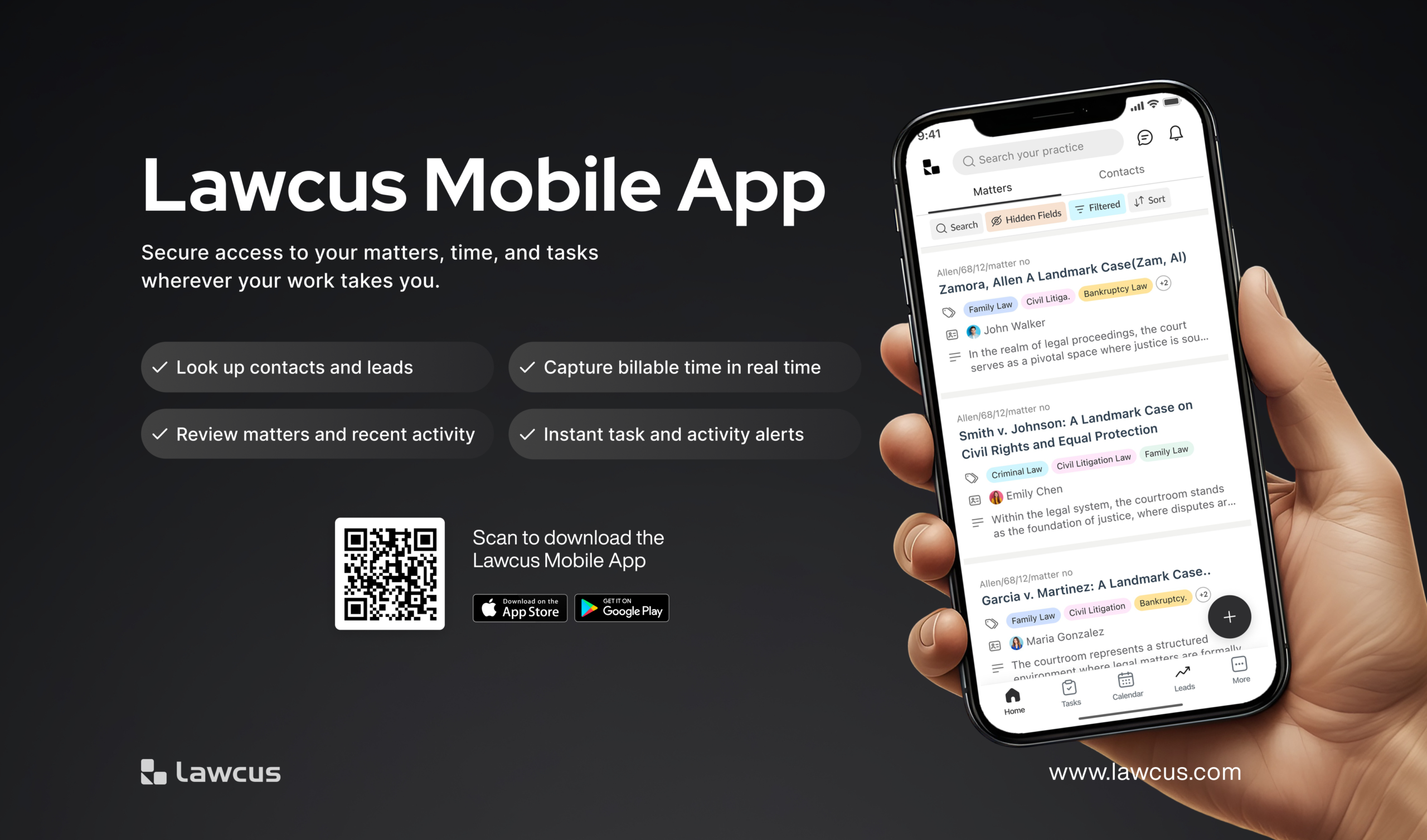
The Lawcus Mobile App Is Here: Manage Legal Work From Anywhere
Practice Management
Automation
Client Intake & CRM
Billing & Accounting
Practice Area
Compare
Resources
Lawcus Inc.
4445 Eastgate Mall, Suite 200,
San Diego, CA 92121


